
USSR SHOP »
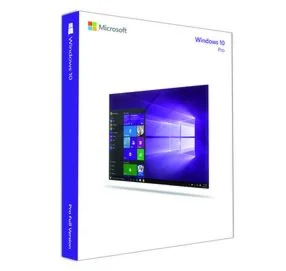
Магазин » Instant windows 10 pro key professional 32/64

![SOMA XBOX / WINDOWS [ Игровой Ключ Код ]](https://digiseller.mycdn.ink/imgwebp.ashx?idp=3383799)

![Shakes on a Plane XBOX / WINDOWS [ Игровой Ключ ]](https://digiseller.mycdn.ink/imgwebp.ashx?idp=3172867)


![AIR Bundle 20+ PLUG-INS INSTANT [iLok Key]](https://digiseller.mycdn.ink/imgwebp.ashx?idp=8115182)


















Купить Instant windows 10 pro key professional 32/64
Описание товара:
Microsoft Windows 10 Professional 32/64 bit Genuine License Key
Fast delivery ????
WE SEND WORLDWIDE
ALL COUNTRIES
ALL LANGUAGES
Product key will send to your eBay inbox and PayPal email address
Delivery Time: 3 Hours maximun
NO DISC OR CD WILL BE DISPATCHED
- The product key can be used with a fresh Windows 10 professional installation And Upgrade From Home To Pro.
- upgrade from win 7, 8 and other editions of Windows systems are not supported.
Both 32-bit and 64-bit available.
Multiple language supported.
Any problems please contact me via eBay first to resolve any matter!
If you have any problem just contact me
If you have any problem just contact me
DISCLAIMERS
the activation keys sold in this listing are genuine and are used as a system builder.
supplied by authorized Microsoft partners. To comply with the terms and conditions of both Microsoft and eBay,
all of the items sold are new and sourced directly at the time of sale from third party Microsoft sellers
** Note for buy Wholesale**
If you offer twice, you will be sent one key to activate two Computers
If you offer five times, you will be sent one key to activate five Computers
If you offer ten times, you will be sent one key to activate ten Computers
--- We do not sen ten codes or ten different keys
--- We only send one Key to activate the numbers of devices that resquest them
STEPS
How to install Windows 10
Once you have received the windows 10 pro professional activation product key, please follow these instruction to complete the activation of your windows 10 pro operation system. Please download from the official Microsoft homepage the Media Creation Tool to download Windows 10 ISO from Microsoft
Part 1 Booting to the Windows 10 Installer
1. Make sure your Windows 10 installation media is connected.
In order for you to install Windows 10 Pro, your Windows 10 installation file must be loaded onto a disc or flash drive, and the disc or flash drive must be inserted into your computer. If you haven't yet downloaded the Windows 10 installation tool, follow the instructions from the official Microsoft download support page.
Part 2 Installing
1. Choose your language, edition and architecture then click Next when prompted.
You can also change the options on this page (e.g., the setup language) before continuing if need be.
2. Click Install Now
3. Enter your 25 digits Windows 10 pro key (provided from us), then click Next.
4. Click the "Accept" box and click Next. This will indicate that you accept the terms of use.
5. Option 1 Click Upgrade. It's at the top of the "Which type of installation do you want?" window. This option installs Windows 10 while preserving your files, apps, and settings.
Option 2 You can click Custom instead to clean install Windows 10 on your computer. Doing so will prompt you to select a partition to format before continuing.
6. Wait for Windows 10 to install. This process may take anywhere from half an hour to several hours, depending on your computer's previous operating system and processing speed. If prompted to press a key in order to boot from a CD, do not press a key.
7. Follow the on-screen setup instructions. Once Windows 10 pro has been installed on your computer, you'll be able to customize its settings (e.g., your region, your preferred language, location settings, etc.). Once you finish this process, you will be taken to your computer's desktop. You can also click Express Settings to set up Windows 10 pro with the recommended settings.
Fast delivery ????
WE SEND WORLDWIDE
ALL COUNTRIES
ALL LANGUAGES
Product key will send to your eBay inbox and PayPal email address
Delivery Time: 3 Hours maximun
NO DISC OR CD WILL BE DISPATCHED
- The product key can be used with a fresh Windows 10 professional installation And Upgrade From Home To Pro.
- upgrade from win 7, 8 and other editions of Windows systems are not supported.
Both 32-bit and 64-bit available.
Multiple language supported.
Any problems please contact me via eBay first to resolve any matter!
If you have any problem just contact me
If you have any problem just contact me
DISCLAIMERS
the activation keys sold in this listing are genuine and are used as a system builder.
supplied by authorized Microsoft partners. To comply with the terms and conditions of both Microsoft and eBay,
all of the items sold are new and sourced directly at the time of sale from third party Microsoft sellers
** Note for buy Wholesale**
If you offer twice, you will be sent one key to activate two Computers
If you offer five times, you will be sent one key to activate five Computers
If you offer ten times, you will be sent one key to activate ten Computers
--- We do not sen ten codes or ten different keys
--- We only send one Key to activate the numbers of devices that resquest them
STEPS
How to install Windows 10
Once you have received the windows 10 pro professional activation product key, please follow these instruction to complete the activation of your windows 10 pro operation system. Please download from the official Microsoft homepage the Media Creation Tool to download Windows 10 ISO from Microsoft
Part 1 Booting to the Windows 10 Installer
1. Make sure your Windows 10 installation media is connected.
In order for you to install Windows 10 Pro, your Windows 10 installation file must be loaded onto a disc or flash drive, and the disc or flash drive must be inserted into your computer. If you haven't yet downloaded the Windows 10 installation tool, follow the instructions from the official Microsoft download support page.
Part 2 Installing
1. Choose your language, edition and architecture then click Next when prompted.
You can also change the options on this page (e.g., the setup language) before continuing if need be.
2. Click Install Now
3. Enter your 25 digits Windows 10 pro key (provided from us), then click Next.
4. Click the "Accept" box and click Next. This will indicate that you accept the terms of use.
5. Option 1 Click Upgrade. It's at the top of the "Which type of installation do you want?" window. This option installs Windows 10 while preserving your files, apps, and settings.
Option 2 You can click Custom instead to clean install Windows 10 on your computer. Doing so will prompt you to select a partition to format before continuing.
6. Wait for Windows 10 to install. This process may take anywhere from half an hour to several hours, depending on your computer's previous operating system and processing speed. If prompted to press a key in order to boot from a CD, do not press a key.
7. Follow the on-screen setup instructions. Once Windows 10 pro has been installed on your computer, you'll be able to customize its settings (e.g., your region, your preferred language, location settings, etc.). Once you finish this process, you will be taken to your computer's desktop. You can also click Express Settings to set up Windows 10 pro with the recommended settings.
Вас могут заинтересовать:
Windows 10 и 11 pro — 32/64 — 1ПК Retail full
$ 8.18
Windows 8.1 Microsoft Партнёр
$ 9.5
Windows 10 | 11 Корпоративная ОНЛАЙН АКТИВАЦИЯ
$ 4.46
Windows 7 Home Premium
$ 8.85
Windows Server Essentials 2019 RTM ServerSolution
$ 4.36
SOMA XBOX / WINDOWS [ Игровой Ключ Код ]
$ 22.29
️FINAL FANTASY XV WINDOWS EDITION | АВТО |Россия Steam
$ 22.45
Shakes on a Plane XBOX / WINDOWS [ Игровой Ключ ]
$ 19.65
Лицензионный ключ Windows Server 2022 Standard - 1 пк
$ 8.93
Prey(PC WINDOWS)КЛЮЧ
$ 3.3
Halo The Master Chief Collection Windows 10 ПК КЛЮЧ
$ 44.4
AIR Bundle 20+ PLUG-INS INSTANT [iLok Key]
$ 9
Лицензионный ключ Windows 10 Pro OEM - 1 пк онлайн
$ 12.52
Dark Temple XBOX ONE / XBOX SERIES X|S / WINDOWS 10
$ 9.12
Ключ активации Windows 10 Pro (x32-x64)
$ 10
Справочник Windows XP
$ 12
Windows 8 Professional
$ 11.33
FINAL FANTASY XV WINDOWS EDITION Steam GIFT⭐Авто⭐RU
$ 23.07
FIT AND FRY: ORGANIZED CHEF XBOX + WINDOWS BUNDLE XBOX
$ 14.86
INFERNITOS: FIERY DISHES WINDOWS + XBOX BUNDLE XBOX + P
$ 12.77
️SnowRunner - Season 14 Reap & Sow Windows WIND DLC
$ 6
Three in one (XBOX and Windows) Xbox активация
$ 7.69
MOTOGP20 - WINDOWS EDITION(PC WIN)КЛЮЧ
$ 7.18
CYBER TANK NANO (WINDOWS) PC (WIN) КЛЮЧ/КОД
$ 6.4
SLIDE VIKING (WINDOWS) PC (WIN) КЛЮЧ/КОД
$ 8.18
(DIS)ASSEMBLE (WINDOWS) PC (WIN) КЛЮЧ/КОД
$ 8.05
Open Shot Video Editor Pro Windows 10 ПК КЛЮЧ
$ 8.11
DRAGON BALL FIGHTERZ (WINDOWS) PC (WIN) КЛЮЧ/КОД
$ 40.26
️Slime Ranger Windows WIND
$ 5.8
Windows 10 Pro Activation Key
$ 30
Instant Sports Winter Games PS4/PS5/PS Турция/Украина
$ 9.62
WinUtilities Professional Edition для 1го пк
$ 1.26
7 Days to Die (Game Preview) Windows/Microsoft store
$ 8.74
️Block Tower TD 2 Windows XBOX
$ 2.7
️BOUNCY BREAD XBOX AND WINDOWS XBOX
$ 2.7
⭐ Palworld EU Xbox Series X|S / Windows 10/11 КЛЮЧ
$ 40
️Dragon Snack Windows WIND
$ 2.6
Русификатор для Windows Mobile (Language Extender)
$ 33
Васильев Владимир, Александр Громов. Антарктида ONLINE. // для Windows
$ 0.5
Дивов Олег. Храбр. // для Windows
$ 0.8
Куклы и магия.. // для Windows
$ 3
Хашимов Шухрат . Казахский расклад. // для Windows
$ 4
Ключ активации Windows 11 Home (Домашняя) 2ПК
$ 26.24
Minecraft Windows 10 Edition Key | Free Region
$ 6.37
Microsoft Office 2013 Professional
$ 125.83